
Jim Edgar continues his conversation with Ken Beatty, a CALL professor at Anaheim University. Jim asks Professor Beatty to summarize an inspiring conference presentation he had given at TESL Canada. The topic was ‘The Unexpected Next’. In his summary, Professor Beatty lists six emerging language technologies. and their application to language teaching and learning. These …
Category: Teaching
Starting a course with LINC courseware?

With so many LINC instructors embarking on using LINC courseware recently, it seems like a good time to remind everyone that there are support features throughout this portal. In our support links there are: getting started pages a listing of FAQs teacher Help pages an editing teacher manual a starting your course video
Authoring Online Activities with Hot Potatoes Workshop
Hot Potatoes allows instructors, teachers and developers to create digital quizzes. The Hot Potatoes suite includes six applications, enabling educators to create interactive multiple-choice, short-answer, jumbled-sentence, crossword, matching/ordering and gap-fill exercises for the World Wide Web. Since Hot Potatoes is freeware, it can be used for any purpose or project. Our team is running a …
A great way to start learning “blended instruction” Back2Back Stages 1 & 2 sessions
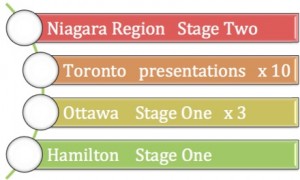
On Friday, November the 10th at TESL Ontario, our team is offering the Stage One hands on and Stage Two introduction sessions consecutively at 9:00 a.m and 1:00 p.m. respectively. This is an efficient way for Ontario LINC instructors to get a jump start on their understanding and practical skills using technology in a blended …
NanoGong is now available for LearnIT2teach.ca courses!
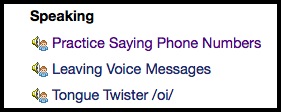
What is NanoGong? NanoGong is an applet that a course participant can use to record, playback and save their voice. When the recording is played back the user can speed up or slow down the sound without changing it. How can I try it? 1. NanoGong is available in all discussion forums at LearnIt2teach.ca/moodle. It …
The new LINC 2 courseware is popular with LINC 2 teachers!
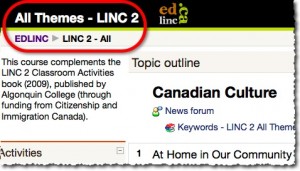
LINC 2 courseware is now being used by teachers in the classroom. If you have finished Stage 2 of the training and want to have the LINC 2 courseware set up for use with your students contact your mentor and they will get it set up for you. To preview LINC 2 with guest access …
Browser Test Page Available
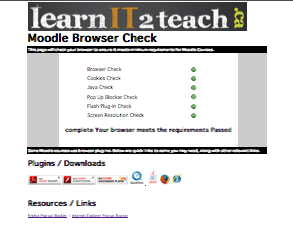
LearnIT2Teach.ca has a new browser test page available so you can check that your system is compatible with our training and with our LINC courseware. Teachers can use it to test their computer or their lab and your students can use it to test their computers. TEST YOUR BROWSER HERE!
LINC 2 courseware is ready!
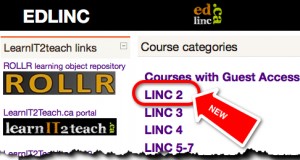
LINC 2 courseware is now available for use in the classroom. If you are already working with LINC courseware and want to have LINC 2 for your teaching reach out to your mentor and they will provide you with the new course.
New Podcast with Professor John Sivell of Brock University
Listen to our latest podcast with Professor John Sivell of Brock University in conversation with John Allan, developer and trainer for the LearnIT2Teach Project. Brock University Professor John Sivell talks about reading, teacher education and technology. Download a transcript of the podcast.
- 1
- 2
Web Resources
 Tutela.ca learning object repository
 Twitter
 PodCasts
 Videos
Post TESL Certificate
 Completing Stage 3 or Stage 4 of the LearnIT2Teach teacher training has been recognized by TESL Ontario as a Post TESL Certificate Training Accreditation Course. Upon successful completion of one of the stages, TESL Ontario members are encouraged to apply to the organization for the accreditation. However, if a teacher completed Stage 3 prior to July 2014, she or he is not eligible as the training stage has been modified to meet TESL Ontario PTCT criteria.
LearnIT2teach Word Cloud
LINC Home Study

Learn English at Home with LINC Home Study
Do you want to learn English but can’t attend classroom courses? If you qualify, LINC Home Study offers English language training at a distance for free. You can choose to study online or using a book and CD. A TESL-certified instructor will contact you once a week for a lesson by phone or VoIP, monitor your progress and provide you with ongoing feedback and support.
Ontario: www.linchomestudy.ca
Canada: www.linchsnational.ca
CLIC en ligne
« CLIC en ligne » un programme GRATUIT qui vous permettra comme nouvel arrivant au Canada d’améliorer vos compétences linguistiques en français à votre rythme. Vous n’êtes pas seul, un formateur personnalise votre apprentissage, vous échangez avec d’autres apprenants. Vous n’avez besoin que d’un ordinateur et d’un accès internet. www.clicenligne.ca

« CLIC en ligne » is a FREE program that helps you as a newcomer to Canada improve your French language skills at your own pace. You are not alone, a trainer personalizes your learning, you exchange with other learners. All you need is a computer and internet access www.clicenligne.ca
« CLIC en ligne » is a FREE program that helps you as a newcomer to Canada improve your French language skills at your own pace. You are not alone, a trainer personalizes your learning, you exchange with other learners. All you need is a computer and internet access www.clicenligne.ca