 To include a video with a quiz, it is important for the student to have the media playing as well as the quiz on the same screen. Hot Potatoes allows you to place a code to add the video right inside of your quiz. Download this document to accomplish this.
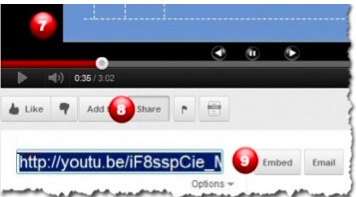
7) Find your video (YouTube)
8) Click the Share button
9) Click the Embed button
10) Copy the Embed code

11) Paste embed code into text area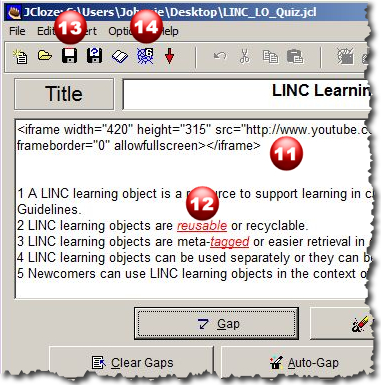
12) in this case, red areas are Gap words
13) Save the “JQuiz” file
14) Save the HTML file (web)
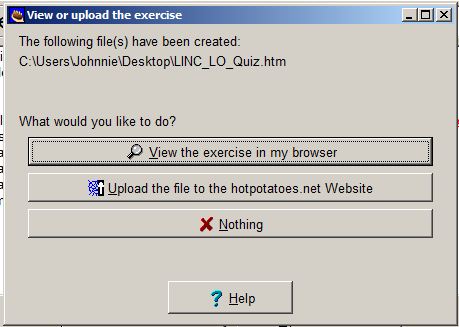
15) Select “View the exercise in browser”
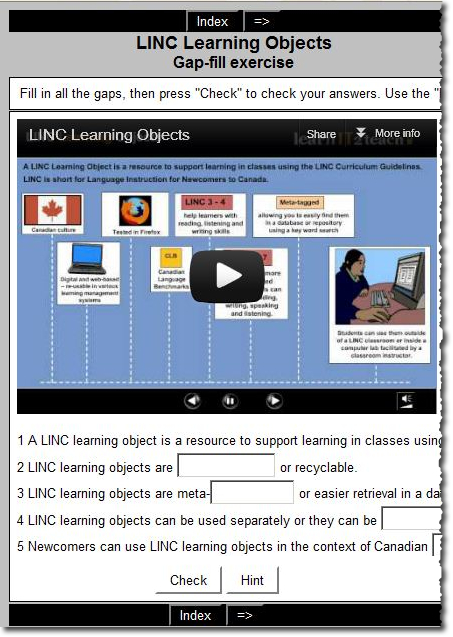
16) Try the quiz
 Tutela.ca learning object repository
 Twitter
 PodCasts
 Videos
 Completing Stage 3 or Stage 4 of the LearnIT2Teach teacher training has been recognized by TESL Ontario as a Post TESL Certificate Training Accreditation Course. Upon successful completion of one of the stages, TESL Ontario members are encouraged to apply to the organization for the accreditation. However, if a teacher completed Stage 3 prior to July 2014, she or he is not eligible as the training stage has been modified to meet TESL Ontario PTCT criteria.